
AI studio · one-time credit packs

AI Headshot Studio.
Two looks. One photo.

Choose a studio look, add a clear portrait, and let Cloudflare’s FLUX.2 image editor handle wardrobe, light and backdrop. Sign in with Google and use one credit for each finished headshot; credits never expire.

  • Sign in with Google
  • One credit per finished edit
  • Executive white studio
  • American blue backdrop
One compressed portrait per edit. No permanent storage. No subscription.
Choose your look

Two studios, two directions.

Both keep the framing professional and the identity recognisable. Pick the one that fits the room you are walking into.

Skip to the studio
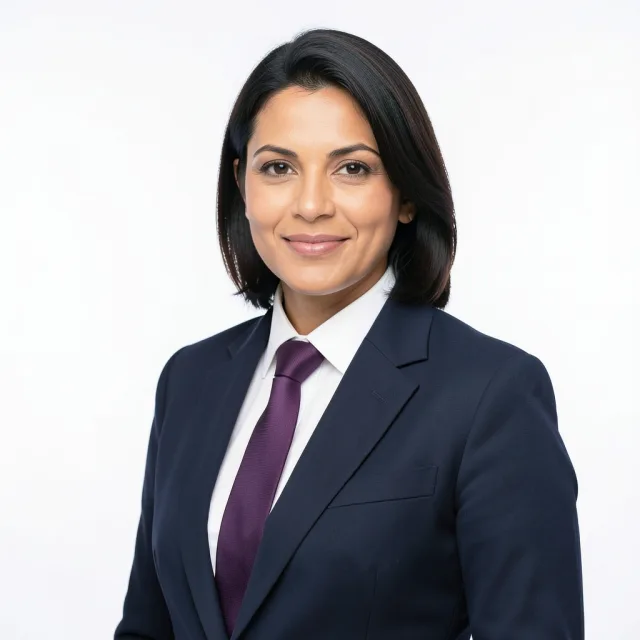
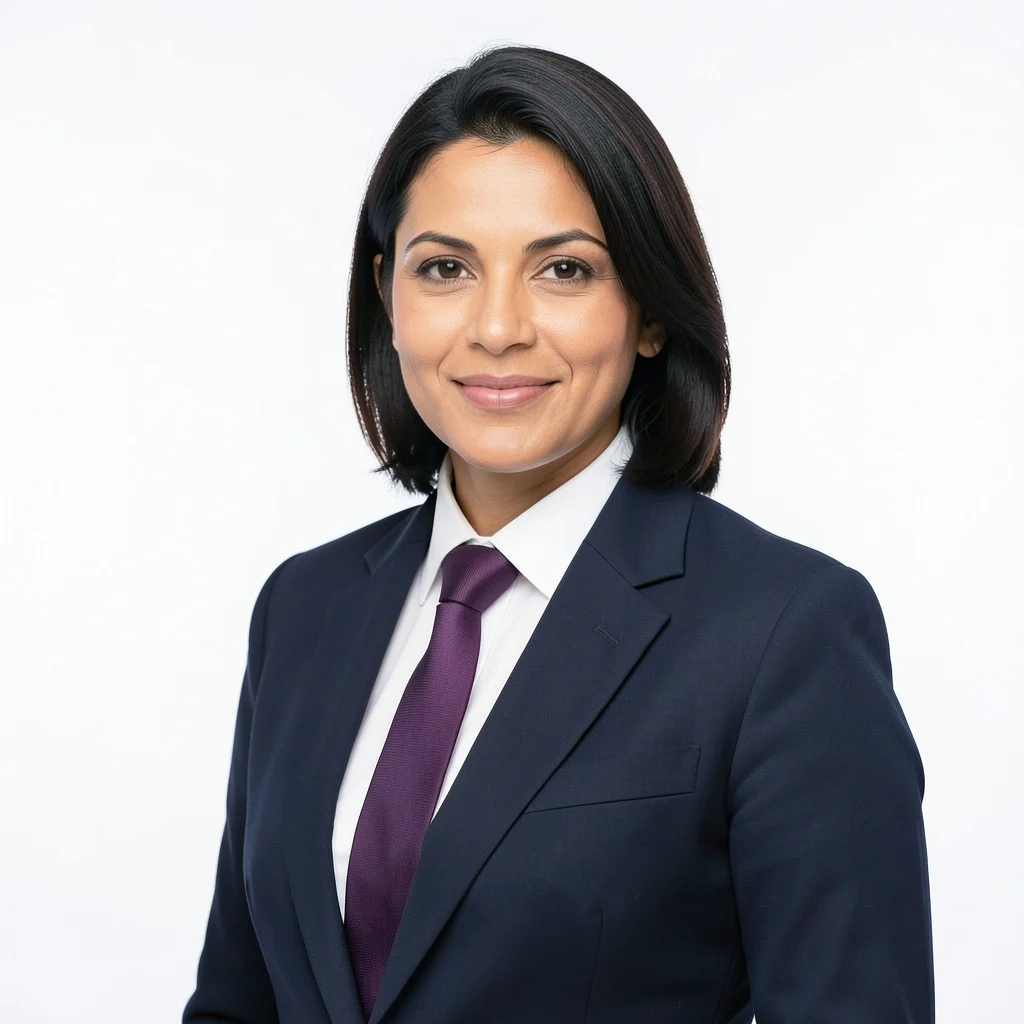
Preview of the Executive Portrait AI look: navy suit and white studio Preview look
LOOK 01 / WHITE STUDIO

Executive Portrait

A dark navy suit, crisp white shirt and deep purple tie against a pure white background. Even, soft corporate lighting with a confident, polished finish.

Navy suitWhite studioCorporate
Choose this look

Preview of the American Studio AI look: blue textured backdrop and business casual shirt Preview look
LOOK 02 / BLUE BACKDROP

American Studio

A half-body corporate portrait on a textured blue studio backdrop. Business-casual shirt, simple tie, soft natural light and a relaxed, genuine smile.

Blue studioBusiness casualBright smile
Choose this look
The AI studio

Add one portrait. Take the studio home.

Sign in with Google, add a clear photo, accept the usage note and let the model work. A typical edit takes 20–60 seconds. One successful headshot uses one credit.

Your best studio portrait starts here.

Drop a front-facing portrait here, or choose a file. One person, both eyes visible, no heavy filters. The image is compressed in your browser before it is sent.

JPEG · PNG · WebPUp to 25 MBOne edit at a time
Prepared on your device

The browser rotates, resizes and compresses the portrait, and strips metadata. Only the prepared JPEG is sent.

One credit per headshot

Credits are bought in one-time packs, never expire and are used only when an edit succeeds. There is no subscription.

Your likeness, re-lit

The prompts direct the model to preserve the person while changing wardrobe, backdrop and lighting. Not for official documents.

Good to know

Before you step into the AI studio.

Do I need an account for AI headshots?

Yes. AI credits live with your Google sign-in, so you need an account to upload a portrait and generate a headshot. Signing in creates an account with your name, email and credit balance. The passport, visa and ID photo tools stay free and do not need an account.

How do AI credits work?

Credits are sold in one-time packs on the pricing page. One successful AI headshot uses one credit. If the model fails or cannot use the portrait, the credit is returned automatically. Credits never expire, there is no subscription, and nothing renews automatically.

Will the AI keep my face looking like me?

The prompts are written to preserve the subject’s likeness while changing wardrobe, lighting and background. AI models can still alter subtle details such as a hairline, a freckle or the shape of a collar. Review the result before you use it, and do not present an AI image as a documentary photograph.

Can I use an AI headshot on a passport or visa?

No. Use the separate passport, visa or ID editors for any official document. They preserve the original photograph and only change the crop and background. AI-generated or materially edited portraits are generally not accepted for identity documents.

What happens to the photo I upload?

Your browser compresses one portrait and sends it through this site’s Worker to Cloudflare’s AI model for a single edit. ID Photo Box does not store the uploaded or generated image. Your account record holds your email, name and credit balance, not the portrait. Only upload a photo you have the right to use.

What photo works best?

A sharp, front-facing portrait of one adult with both eyes visible and even light. Avoid group photos, sunglasses, hats, heavy beauty filters and hard shadows. A larger photo gives the model more detail, but the browser automatically caps the upload at 1536 pixels on the long edge.

What if the AI cannot finish the edit?

The studio uses Cloudflare’s FLUX.2 image editor. If the model cannot use the portrait or is unavailable, the credit is returned. Wait a little and try again, or use a different portrait.

Need a document photo instead?

The passport, visa and ID tools are free, local and built for exact sizes. No AI, no upload, no account.